Features / Billing & Payments

Automated Billing for Pool Service Companies

Set up your billing once and let EZ Pool Biller handle invoicing, payments, late fees, and statements automatically. Spend less time chasing money and more time growing your business.

Set It and Forget It: Recurring Billing

Create a subscription for each customer with the amount, frequency, and start date. EZ Pool Biller handles everything from there — generating invoices, charging cards, and recording payments automatically.

  • Flexible billing cycles — monthly, weekly, or custom schedules
  • AutoPay — customers set it up once, payments happen automatically
  • Subscription management — pause, resume, cancel, or change prices mid-cycle
  • Proration — automatically adjusts charges when customers start mid-month
  • Batch invoicing — generate invoices for all customers at once
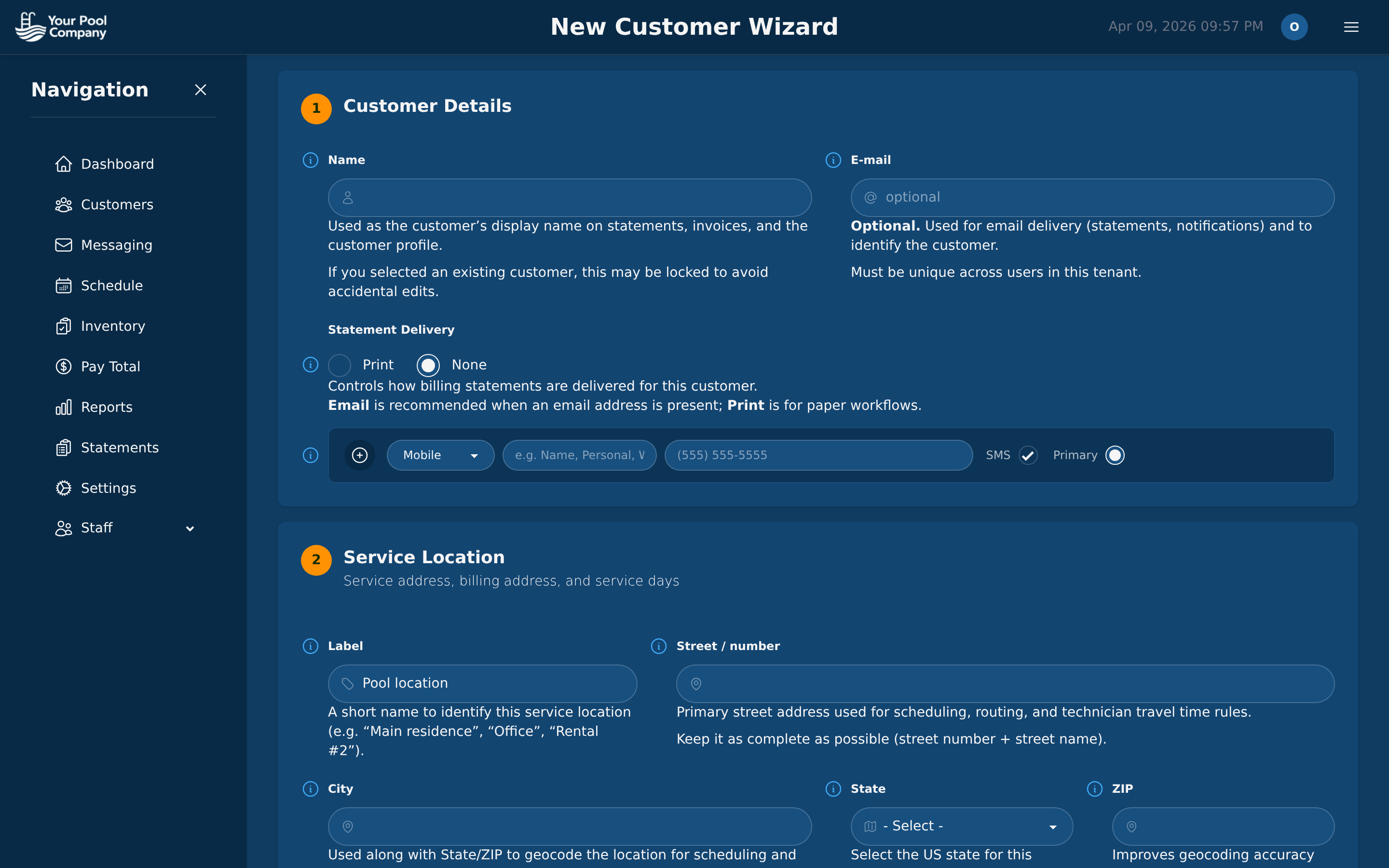
EZ Pool Biller subscription setup wizard for new customer
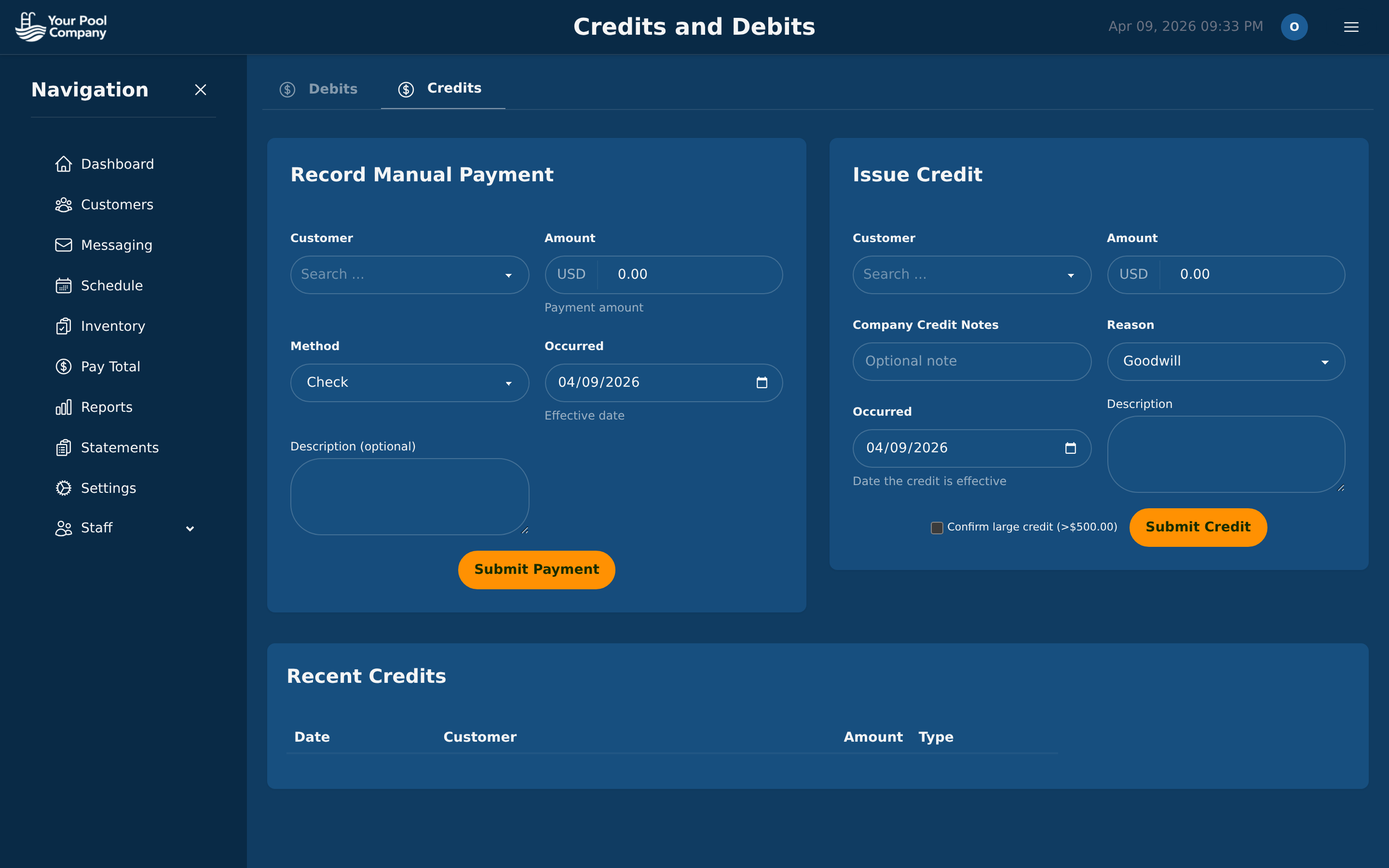
EZ Pool Biller payment credits and billing dashboard

Accept Every Payment Method

Give your customers the flexibility to pay however they prefer. EZ Pool Biller supports multiple payment gateways simultaneously.

Credit & Debit Cards

Via Stripe — Visa, Mastercard, Amex, and more

PayPal

One-time payments and recurring via PayPal Vault

ACH / Bank Transfer

Lower fees for customers who prefer direct bank payments

Offline Payments

Track cash, check, Venmo, and wire transfers

Professional Invoices & Statements

Automatically generate and send professional PDF invoices and monthly statements. Your customers see exactly what they owe and why.

  • PDF invoices generated and emailed automatically
  • Monthly statements with opening/closing balances and line-item detail
  • Late fees applied automatically based on your rules
  • Dunning management — automated follow-ups for overdue accounts
  • Refunds and credits — issue credits, process refunds, maintain clean books
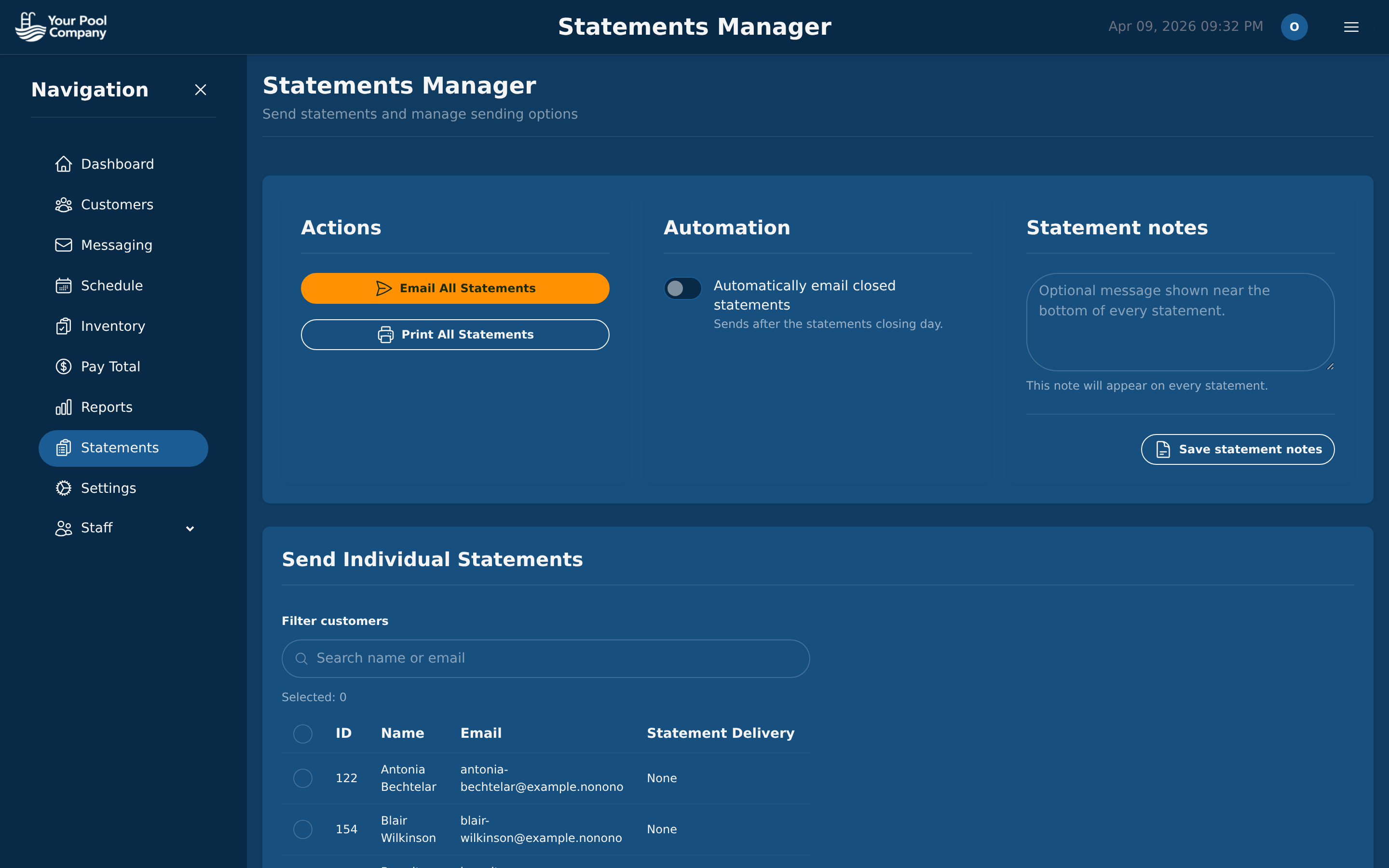
EZ Pool Biller statements manager with email and print options

Failed Payments? Handled.

When a payment fails, EZ Pool Biller doesn't just shrug. It retries automatically, notifies the customer, and applies late fees if needed.

1

Payment Fails

Card declined, insufficient funds, expired card

2

Auto Retry

System retries on your configured schedule

3

Customer Notified

Email alert with instructions to update payment

4

Auto Late Fee

Late fees applied per your rules if still unpaid

See What Your Customers — and Staff — See

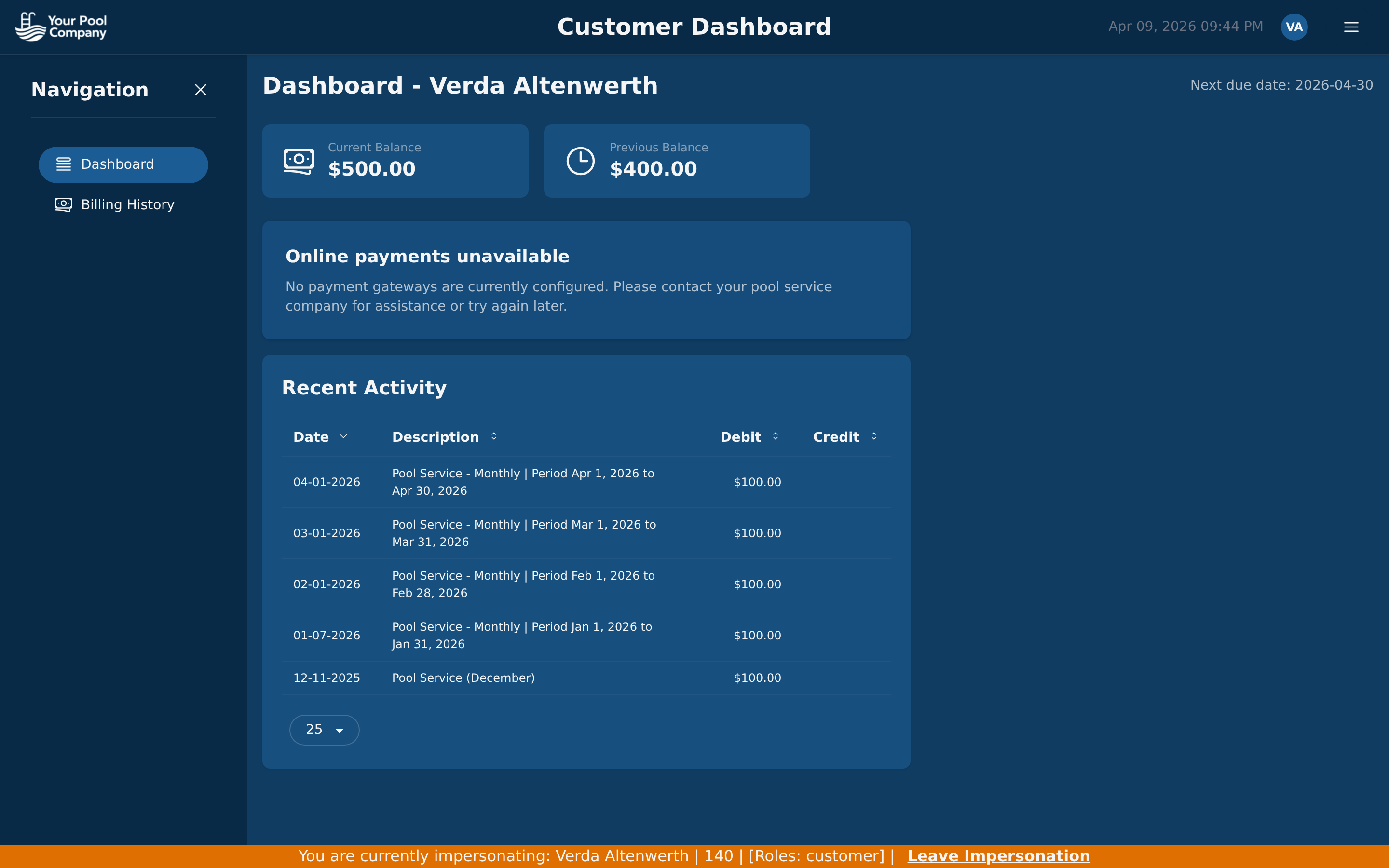
Every customer gets a self-service portal. And as an admin, you can impersonate any customer or staff member with one click — see exactly what they see, troubleshoot issues instantly, no need to ask for screenshots.

  • Impersonate customers — click the key icon on any customer row to see their portal exactly as they see it
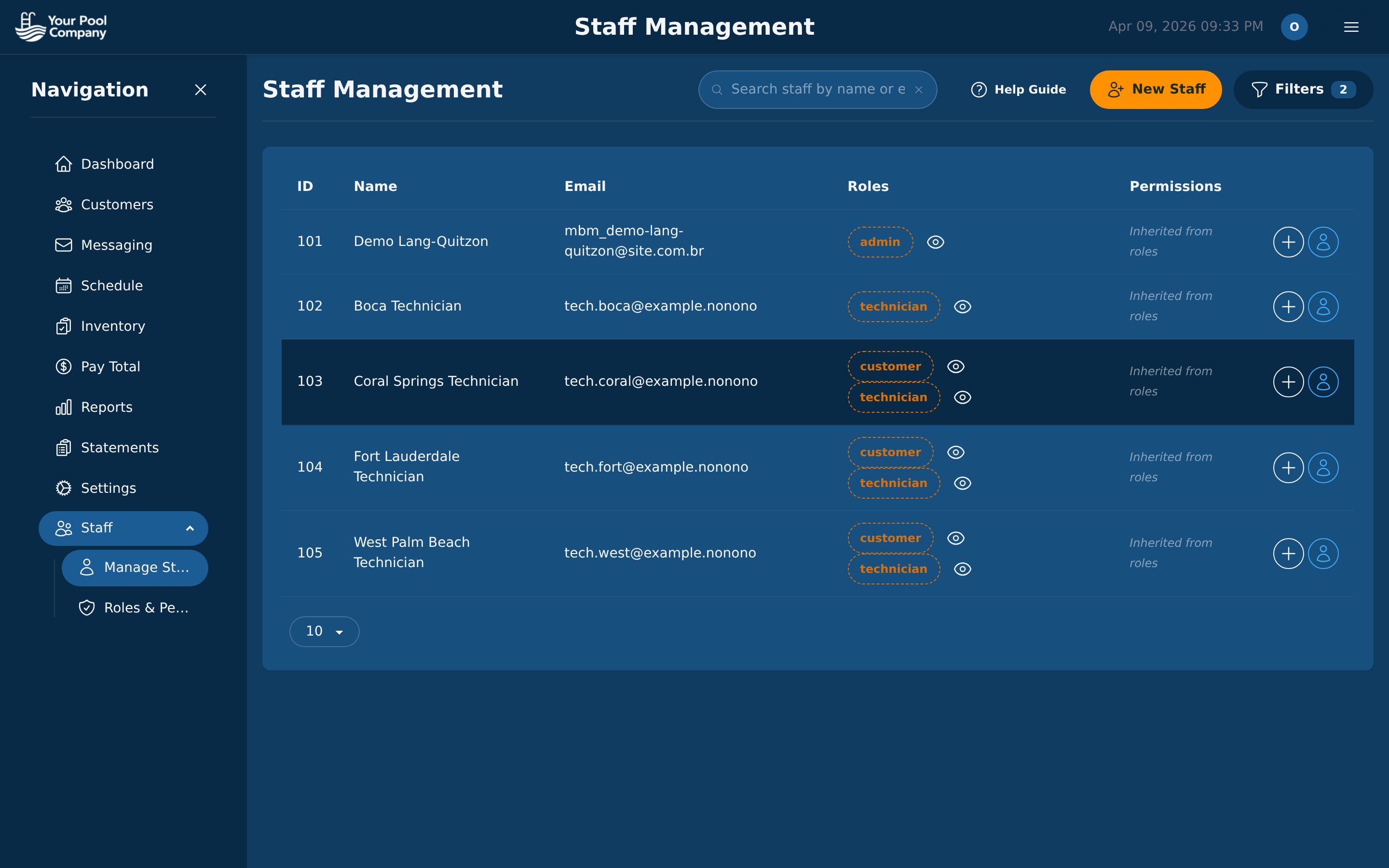
  • Impersonate staff — view the app as any technician or team member from Staff Management to verify permissions and troubleshoot
  • Self-service billing — customers view invoices, balances, and transaction history on their own
  • Online payments — customers pay directly through the portal via Stripe or PayPal
  • Fewer support calls — customers answer their own "how much do I owe?" questions
EZ Pool Biller customer portal dashboard showing balance and billing history EZ Pool Biller staff management with impersonate buttons

Before & After EZ Pool Biller

Without EZ Pool Biller

  • ✗ Manually creating invoices in spreadsheets
  • ✗ Chasing customers for late payments
  • ✗ Forgetting to send statements
  • ✗ Manually tracking who paid and who didn't
  • ✗ Hours of bookkeeping every week
  • ✗ No visibility into overdue accounts

With EZ Pool Biller

  • ✓ Invoices generated and sent automatically
  • ✓ AutoPay means customers pay on time
  • ✓ Statements sent on schedule, every month
  • ✓ Real-time dashboard shows every payment
  • ✓ Minutes of oversight instead of hours of work
  • ✓ Aging reports flag overdue accounts instantly

Know Your Numbers

Built-in financial reports give you a clear picture of your billing health.

Revenue Reports

Track income by period, customer, or service type

Aging Analysis

See overdue accounts at 30, 60, 90+ days

Payment Reports

All payments by method, status, and date

Customer Balances

Outstanding balances across all customers

Recurring Revenue

Monthly recurring revenue and growth trends

Tax Reports

Tax collected by period for easy filing

Billing & Payments FAQ

Mobile App

Stop Chasing Payments. Start Automating.

Join pool service companies that save hours every week with automated billing.

No credit card required. Free data transfer from your current software.