Features / Customer Portal

Your Customers Deserve a Portal

Give every customer 24/7 access to their invoices, payments, and service history. Magic link login means no passwords. Online payments mean fewer phone calls. Admin impersonation means you always see what they see.

24/7 Self-Service for Every Customer

Your customers can log in anytime to view their balance, download invoices, make payments, and review service history. No more "how much do I owe?" calls during your busy day.

  • Magic link login — customers click a link in their email, no passwords to manage
  • Invoice viewing and PDF download — current and past invoices always accessible
  • Online payments — pay via Stripe (credit/debit) or PayPal, right from the portal
  • Payment method management — customers add, update, or remove saved cards
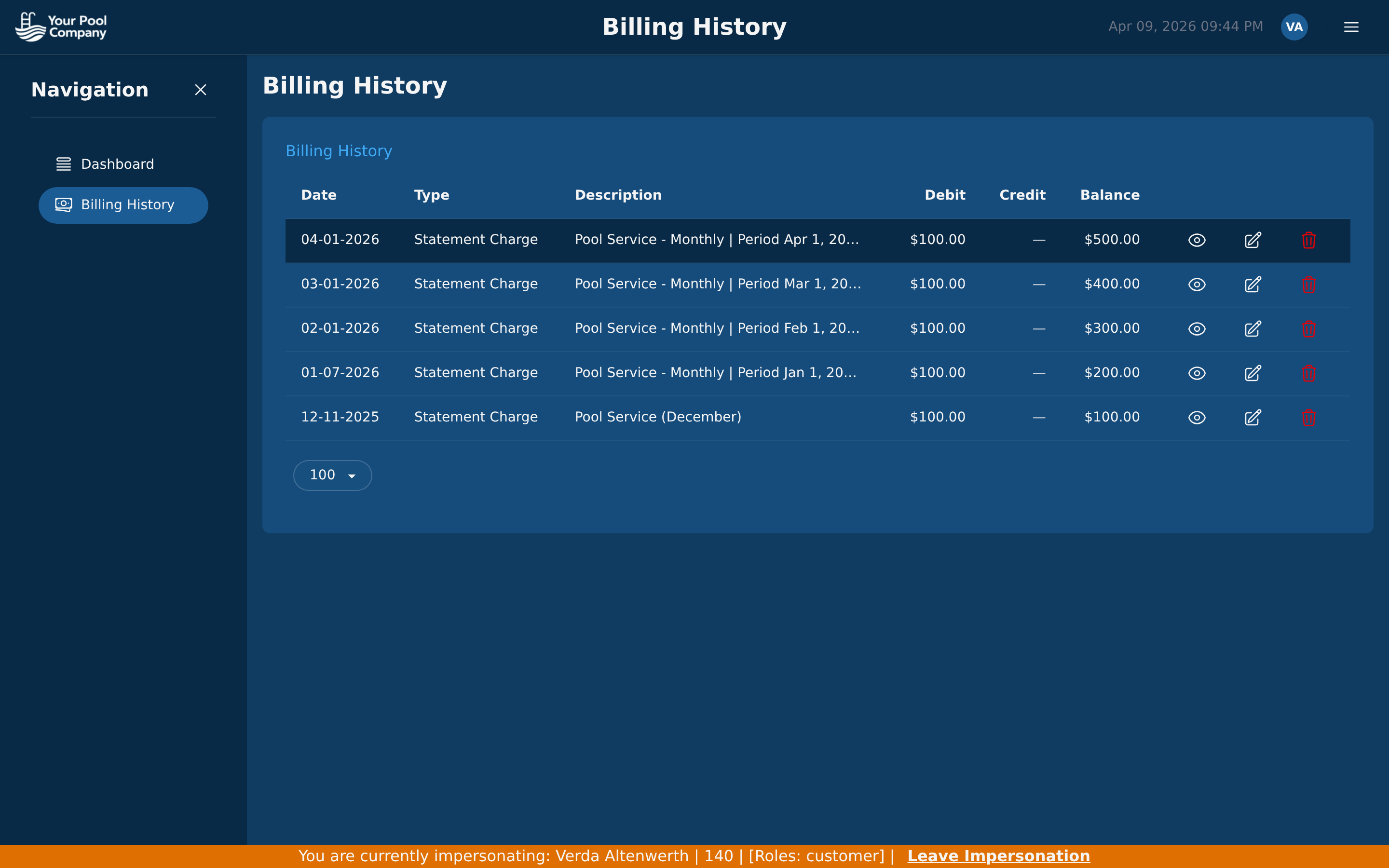
  • Billing history — complete transaction history with dates and amounts
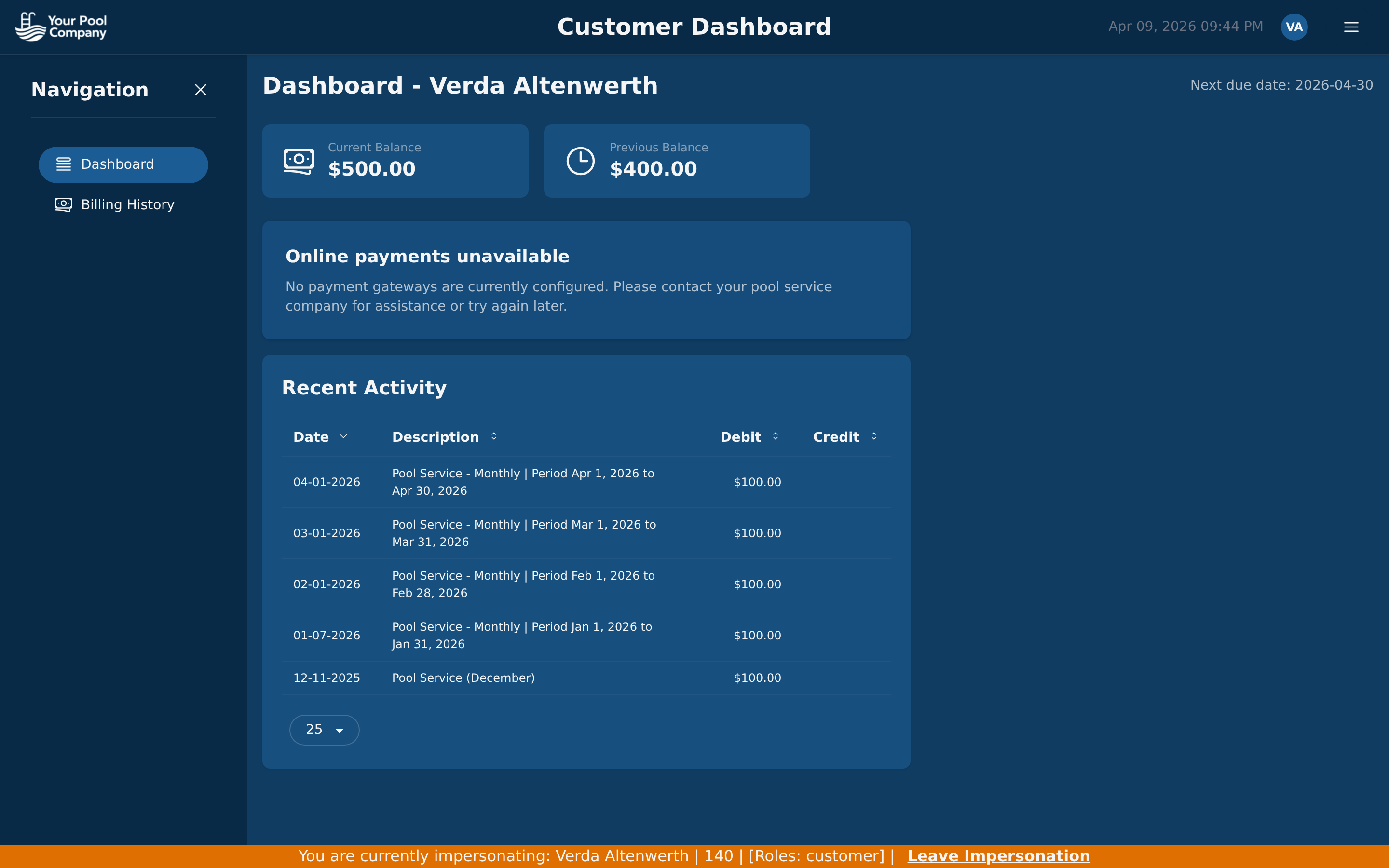
EZ Pool Biller customer portal dashboard showing balance, invoices, and payment options
EZ Pool Biller customer portal billing history showing invoices and payment records

Billing History and Service Reports

Customers see a full history of every invoice, payment, and credit on their account. After each service visit, they can view reports with photos, water chemistry readings, and technician notes — building trust without extra work from your team.

  • Service visit reports — photos, readings, and notes from every visit
  • Complete billing history — invoices, payments, credits, and running balance
  • PDF downloads — customers can download any invoice as a PDF
  • Fewer phone calls — customers find answers on their own

See Exactly What They See

When a customer calls with a question, you do not need to guess what their screen looks like. Click the key icon on any customer row and you are instantly viewing their portal as them — same invoices, same balance, same everything.

  • Customer impersonation — one click from the customer list to see their portal
  • Staff impersonation — view the app as any technician from Staff Management to verify permissions
  • Instant troubleshooting — no screenshots needed, no "what do you see?" back-and-forth
  • Admin-only access — only users with admin permissions can impersonate

How Impersonation Works

1

Open the Customers list and find the customer

2

Click the key icon on their row

3

You are now viewing the portal exactly as the customer sees it

4

Click "Exit Impersonation" to return to your admin view

One Portal, Two Audiences

For the Pool Company Owner

The portal is an accountability tool. Your customers can see exactly what they are paying for, which means fewer disputes and more trust.

  • Customers self-serve — fewer billing calls to your office
  • Online payments mean faster collections
  • Service reports prove your team showed up and did the work
  • Impersonation lets you resolve issues in seconds, not hours

For the Homeowner

The portal is simple and focused. Your customers log in, see what they owe, pay their bill, and check on their pool service — all in under a minute.

  • Pay your bill online with one click — no phone calls needed
  • View service history — know when your pool was last cleaned
  • See photos and chemistry readings from every visit
  • Download invoices for your records anytime

Customer Portal FAQ

Chemical Tracking Inventory Management

Give Your Customers the Self-Service They Expect.

The customer portal is included with every EZ Pool Biller account.

No credit card required. Free data transfer from your current software.