Features / Inventory Management

Know What You Have. Track What You Use.

Track chemicals, parts, and supplies across your warehouse and every truck. Know stock levels in real time, get low-stock alerts, and see exactly what each service visit costs in materials.

Chemical Inventory by Unit Type

Track every chemical your team uses — chlorine, acid, stabilizer, calcium, algaecide, and more. Each item is configured with its unit type so stock levels and usage are always accurate.

  • Flexible unit types — gallons, ounces, pounds, tablets, bags, or custom units
  • Stock levels — current quantity on hand updated in real time
  • Low-stock alerts — get notified before you run out
  • Parts and supplies — track filters, o-rings, pump parts, and anything else
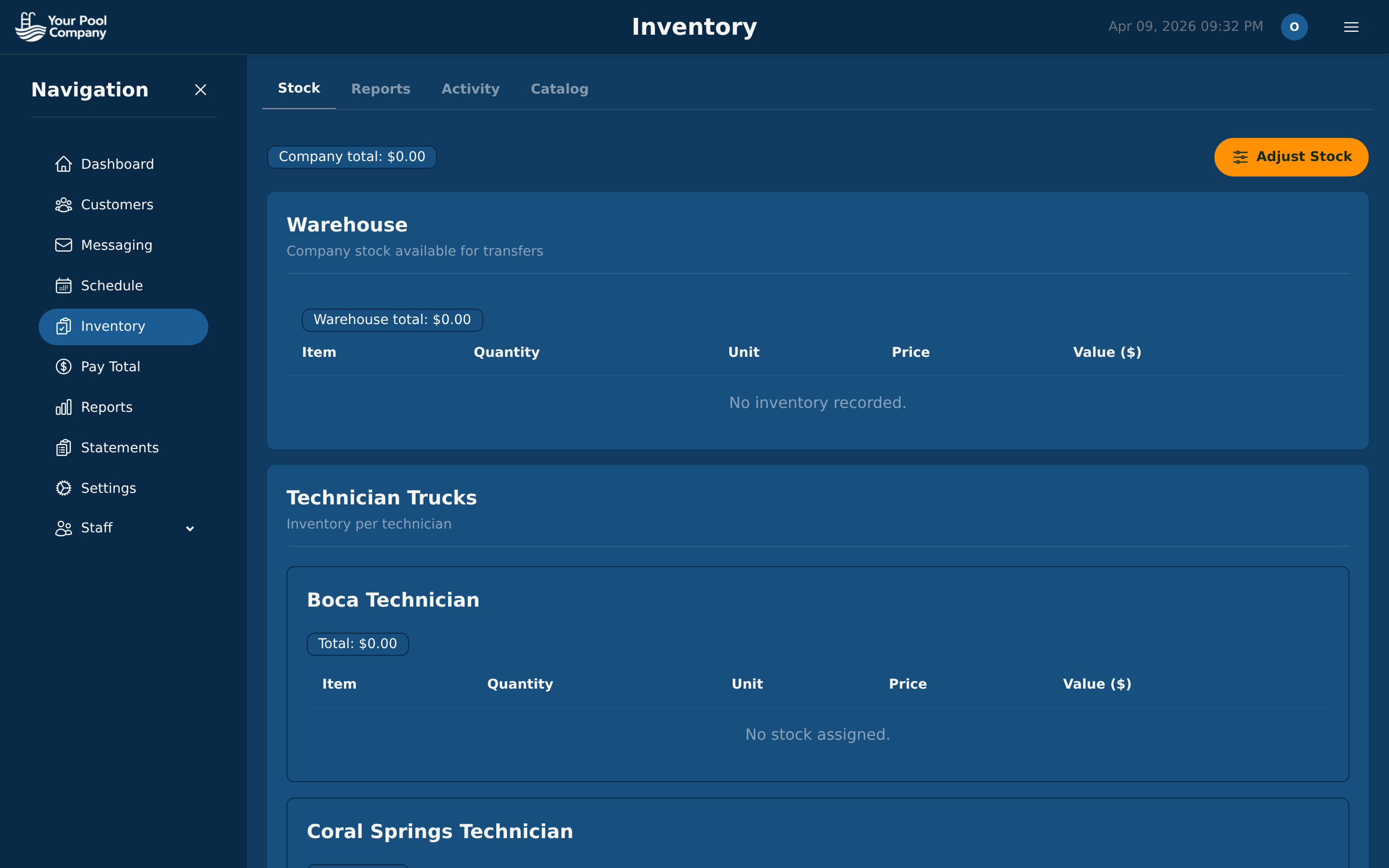
EZ Pool Biller inventory management dashboard showing chemical stock levels and items
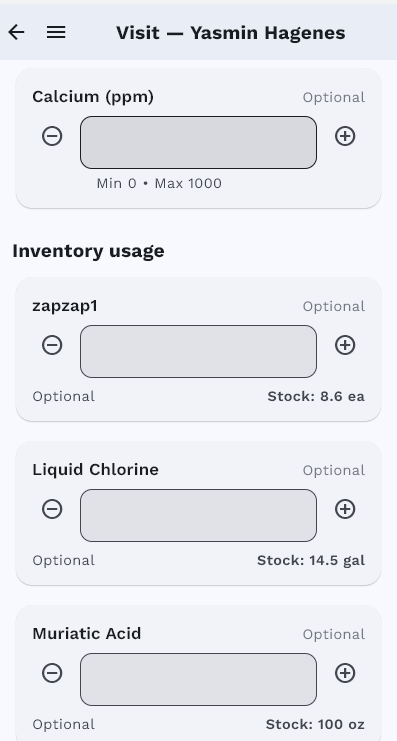
EZ Pool Biller mobile app showing inventory usage at a service stop

Truck Stock for Every Technician

Each technician has a virtual truck stock. When they record chemical usage at a service stop, it is automatically deducted from their truck inventory. Managers see what every truck has on board and can restock efficiently.

  • Per-technician inventory — each truck tracked separately
  • Auto-deduction — usage logged at service stops deducts from truck stock
  • Restock management — transfer items from warehouse to truck
  • Accountability — know who used what, where, and when

Know Your Material Costs

Track chemical usage per visit, per customer, and per technician. See exactly what each service costs in materials so you can price your services profitably.

Usage Per Visit

See exactly what chemicals and how much were used at each stop

Chemical Cost Reports

Total chemical spend by period, technician, or customer

Material Cost Per Service

Know your true cost to service each pool

Inventory Value

Total value of chemicals and parts on hand

Usage Trends

Spot seasonal patterns and forecast purchasing needs

Waste Detection

Identify technicians using significantly more product than peers

How Inventory Tracking Works

From warehouse to truck to pool, every ounce is accounted for.

1

Stock Your Warehouse

Add inventory items with quantities, unit types, and costs

2

Load the Trucks

Transfer items from warehouse to each technician's truck stock

3

Use at the Stop

Technicians log chemical usage — truck stock updates automatically

4

Review Reports

See usage, costs, and stock levels across your entire operation

Inventory Management FAQ

Customer Portal QuickBooks Integration

Stop Losing Track. Start Managing Inventory.

Inventory management is included with every EZ Pool Biller account.

No credit card required. Free data transfer from your current software.