Features / Team Management

Manage Your Team Like a Pro

Control who can see what, manage technician profiles and qualifications, and troubleshoot any issue by viewing the app as any team member — all from one screen.

Users and Technicians in One Place

Add office staff, managers, and field technicians from a single screen. Each person gets a login, a role, and the exact level of access they need — nothing more, nothing less.

  • One-click invite — add a team member and they receive a login link instantly
  • Technician profiles — certifications, qualifications, hire date, and contact info
  • Work schedules — set availability by day of week for each technician
  • Geographic service areas — assign technicians to specific zones or zip codes
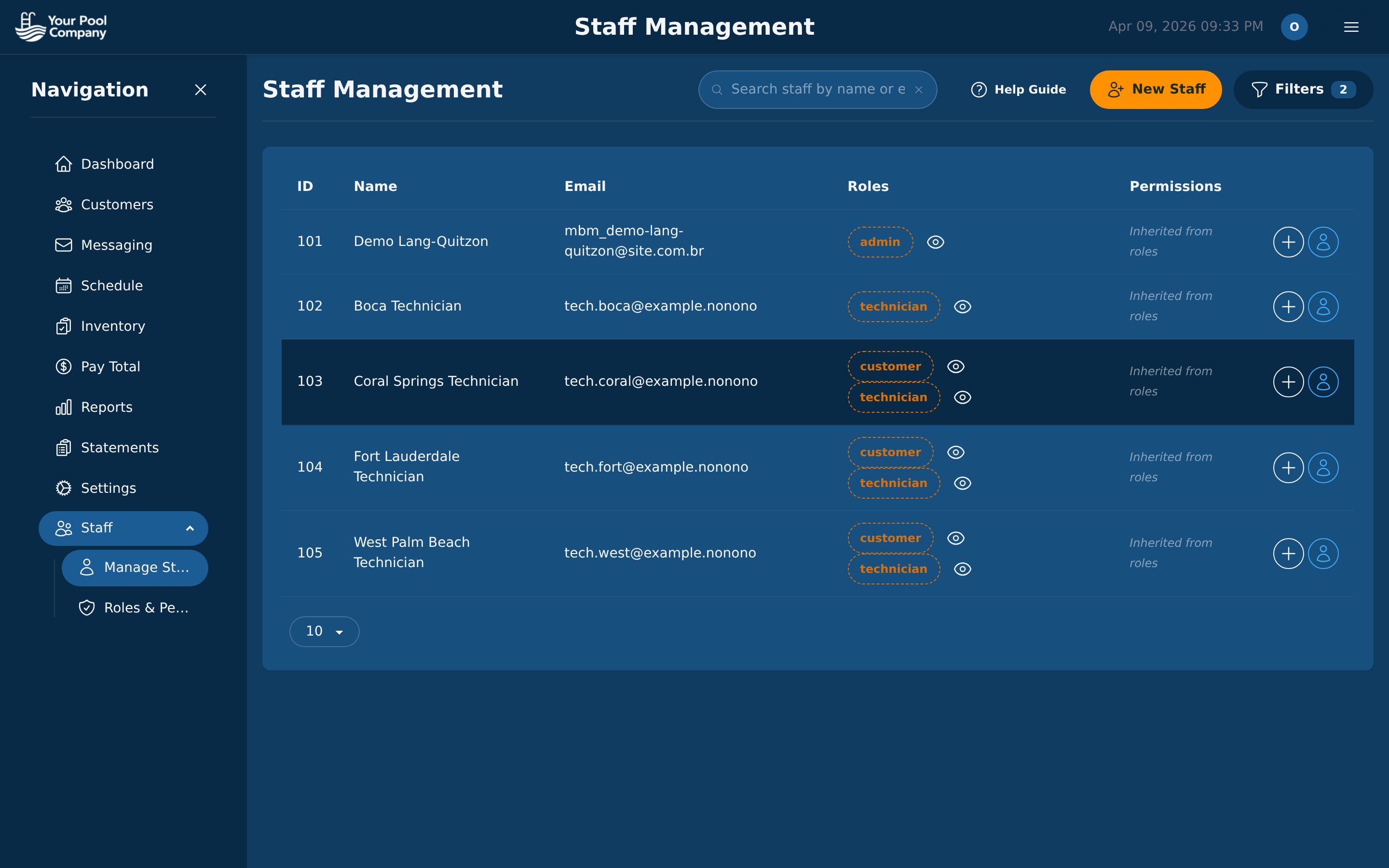
EZ Pool Biller staff management screen showing team members with roles and impersonate buttons
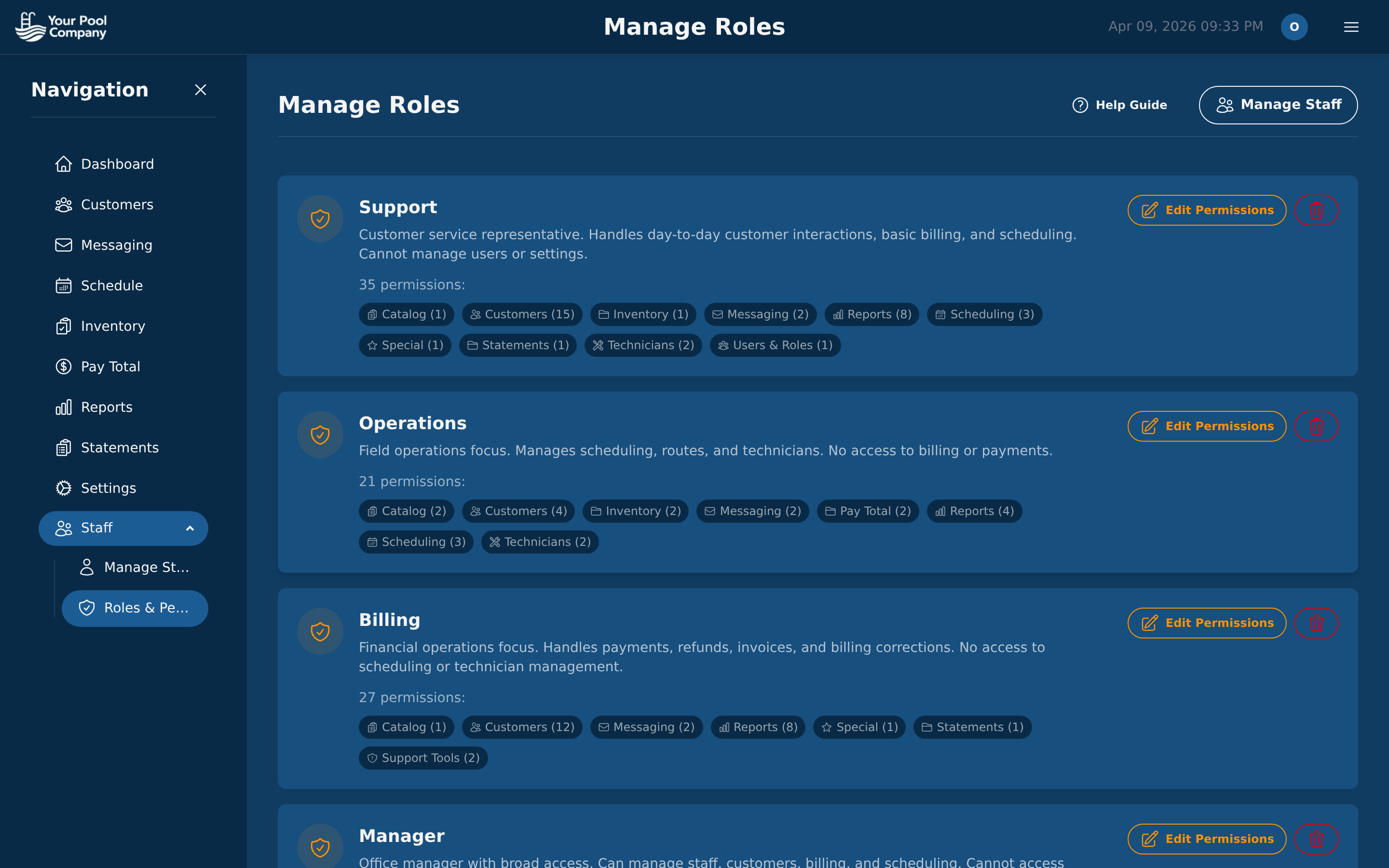
EZ Pool Biller roles and permissions editor with granular access controls

Roles & Fine-Grained Permissions

Five built-in roles cover the most common setups. Need something custom? Create your own roles with any combination of permissions.

Admin

Full access to every feature, setting, and report

Manager

Operations, staff oversight, scheduling, and reports

Billing

Invoicing, payments, statements, and financial reports

Operations

Scheduling, routes, service management, and inventory

Technician

Mobile app access only — daily schedule, service completion, chemical readings, and photos

See the App Through Their Eyes

Staff impersonation lets admins and managers click into any team member's account to see the app exactly as that person sees it. No more guessing what a technician can or can't access.

  • One-click impersonation — click the key icon next to any staff member
  • Verify permissions — confirm that each role only sees what they should
  • Troubleshoot issues — reproduce a problem as the user who reported it
  • Train new hires — walk through the app as they will experience it
EZ Pool Biller staff list with impersonate key icon for each team member

Activity Logging & Audit Trails

Every significant action is logged with the user, timestamp, and details. Know who changed what and when — accountability built into every screen.

1

User Logins

Track who logged in, when, and from where

2

Payment Activity

Every charge, payment, refund, and credit logged

3

Schedule Changes

Route edits, reassignments, and cancellations tracked

4

Customer Edits

Profile updates, subscription changes, and notes recorded

Team Management FAQ

Reports & Analytics

Your Team Deserves Better Tools.

Team management is included with every EZ Pool Biller account.

No credit card required. Free data transfer from your current software.